- What Is OpenClaw and How Does It Work?
- OpenClaw vs Traditional Automation Tools: A Quick Comparison
- Key Capabilities of OpenClaw for Business Automation
- Benefits of Using OpenClaw for Business Automation
- Real-World OpenClaw Use Cases by Department
- OpenClaw Security Considerations Every Business Should Know
- Is OpenClaw Right for Your Business?
- Build Your OpenClaw Automation with Space-O AI
- Frequently Asked Questions
- Is OpenClaw free to use?
- What platforms does OpenClaw integrate with?
- How secure is OpenClaw for business data?
- How long does it take to implement OpenClaw?
- Can OpenClaw work with the tools my team already uses?
- Do I need a developer to use OpenClaw day to day?
- Can OpenClaw handle multiple departments at the same time?
- How is OpenClaw different from a regular chatbot?
What Is OpenClaw? A Business Guide to the AI Agent Framework

 Last Updated: March, 11 2026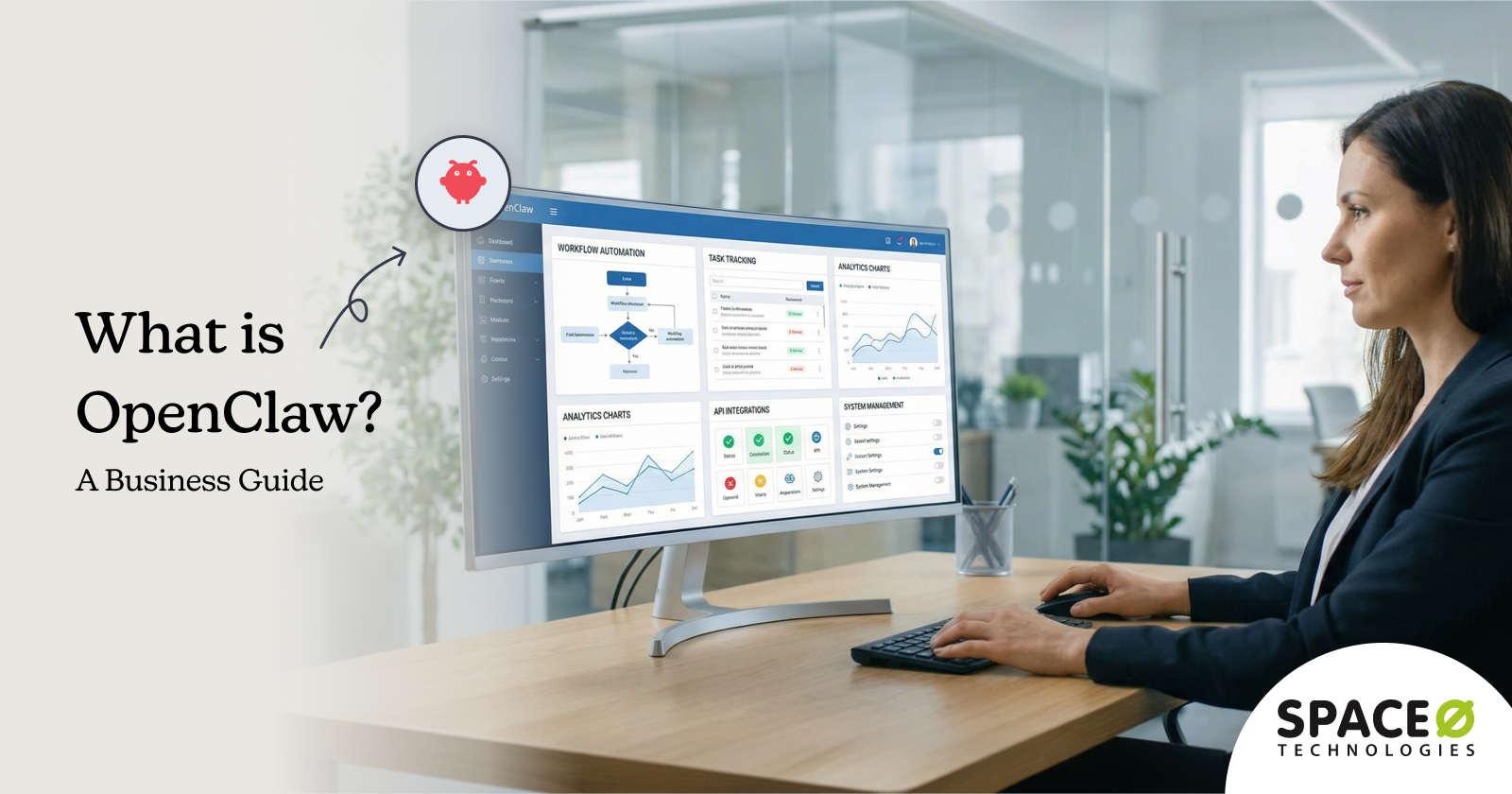
What if your team could stop spending hours on tasks that don’t require human judgment? That’s the question driving businesses toward OpenClaw, an open-source AI agent framework that automates complex workflows across messaging platforms, email, and business tools.
The interest is massive. According to Fortune Business Insights, the global agentic AI market is projected to grow from $9.14 billion in 2026 to $139.19 billion by 2034. This makes it it one of the fastest-growing segments in enterprise software. That kind of investment signals a real shift in how businesses think about workflow automation.
The challenges driving this adoption are real. Your team spends hours every week triaging emails, following up with leads, onboarding clients, compiling reports, and responding to routine support questions. Traditional automation tools like Zapier and Make handle some of this, but they rely on rigid if-then rules that break the moment workflows get complex.
Most businesses struggle with OpenClaw’s setup complexity, security hardening, and team adoption on their own. That’s why many partner with an experienced OpenClaw workflow automation services provider to go from zero to production-ready without the trial and error.
This guide covers what OpenClaw is, how it works, its key features and benefits, real-world OpenClaw use cases across departments, security considerations, and what it takes to get started. Let’s begin with what OpenClaw actually is and how it works.
What Is OpenClaw and How Does It Work?
At its core, OpenClaw is an open-source AI agent framework, MIT-licensed, locally hosted, and built to automate real-world business workflows across 12+ messaging platforms using AI reasoning instead of rigid rules.
Think of it as the difference between a calculator and an analyst. Traditional automation tools (the calculator) follow the exact instructions you give them. OpenClaw (the analyst) understands what you’re trying to accomplish, figures out the steps, and executes them.
You tell it “follow up with leads who haven’t responded in three days,” and it identifies the right leads, drafts personalized messages, sends them through the appropriate channel, and logs the activity in your CRM.
Unlike cloud-based automation platforms that process your data on third-party servers, OpenClaw keeps everything on your own servers. Your business data, customer conversations, and internal communications never leave your infrastructure. Your team interacts with OpenClaw using natural language commands on platforms they already use daily, so there’s no new interface to learn.
At its core, OpenClaw connects to WhatsApp, Telegram, Slack, Discord, and email. It supports 200+ AI models from OpenAI, Anthropic Claude, Google Gemini, and local large language models (LLMs) through Ollama. This flexibility lets you choose the right model for each task: a cost-effective model for simple email sorting, a more capable model for lead qualification and report generation.
OpenClaw vs traditional automation
- AI reasoning, not rules. OpenClaw doesn’t follow predetermined if-then workflows. It uses AI to reason through complex, multi-step tasks, adapt to context, and handle situations that rule-based tools can’t process.
- Real-world action execution. It sends emails, updates your CRM, books appointments, generates reports, manages files, runs shell commands, and automates multi-step business workflows.
- Heartbeat scheduler. A built-in autonomous scheduler lets OpenClaw run tasks without human prompting. Morning briefings, weekly reports, and daily lead follow-ups all happen automatically on your defined schedule.
- Multi-channel orchestration. One agent manages WhatsApp, Slack, email, Telegram, and Discord simultaneously. No need for separate bots on each platform.
Understanding what OpenClaw is sets the foundation. Now let’s look at how it compares to the automation tools your team already uses.
OpenClaw vs Traditional Automation Tools: A Quick Comparison
Why are businesses switching from rule-based automation to agentic AI? Zapier and Make work well for simple, linear workflows. Connect a form submission to a spreadsheet, send a notification when a deal closes, or trigger an email when a file is uploaded. These tools handle predictable, single-step operations reliably.
But business workflows aren’t always predictable. A sales lead comes in through WhatsApp at 11 PM, needs qualifying based on conversation context, requires a personalized follow-up, and should be routed to the right salesperson based on territory and availability. Rule-based tools can’t handle that level of reasoning.
Here’s how OpenClaw compares:
| Feature | OpenClaw | Zapier / Make |
| Logic type | AI reasoning (contextual, adaptive) | Rule-based (if-then triggers) |
| Data processing | Local-first (your servers) | Cloud-only (third-party servers) |
| Channel support | 12+ platforms from a single agent | Single-channel per automation |
| Pricing | Open-source, no per-user fees | Per-task pricing, scales with volume |
| Complex workflows | Multi-step with conditional branching | Limited to linear sequences |
| Autonomous scheduling | Built-in heartbeat scheduler | Trigger-dependent only |
| Customization | Full source code access, custom skills in TypeScript/Go | Limited to available integrations |
Traditional tools still make sense for businesses with simple, linear workflows that don’t require contextual reasoning. OpenClaw is the better choice when your workflows involve multiple steps, require AI judgment, span several communication platforms, or need to run autonomously around the clock.
These differences matter most when you look at the specific features OpenClaw brings to daily operations. Let’s explore those next.
| Find Out Which Workflows OpenClaw Can Automate for Your BusinessOur OpenClaw specialists map your operations and identify the highest-impact automation opportunities tailored to your team.Book Free Assessment |
Key Capabilities of OpenClaw for Business Automation
OpenClaw isn’t just another chatbot. It’s a framework designed to handle the operational complexity that businesses deal with every day. Here are the features that matter most.
1. Local-first architecture and data privacy
What it is
OpenClaw runs entirely on your own infrastructure, so your business data, customer information, and internal communications never leave your servers.
How it works
Instead of routing data through third-party cloud services, OpenClaw processes everything locally. You configure the AI models, messaging channels, and integrations on your own servers or private cloud.
Key benefits
- Full data sovereignty: You control where your data lives and who accesses it.
- Regulatory compliance: Critical for healthcare organizations under HIPAA, financial firms under SOC 2, and businesses subject to GDPR.
- Zero third-party exposure: Sensitive customer and business data stays within your infrastructure.
2. Multi-channel communication from a single agent
What it is
One OpenClaw agent manages WhatsApp, Slack, email, Telegram, and Discord simultaneously from a single deployment.
How it works
A customer asks a question on WhatsApp, and the same agent who handles your Slack notifications and email triage responds with full context awareness. No separate bots for each platform.
Key benefits
- Unified communication: One agent, one knowledge base, consistent responses across all channels.
- Reduced setup complexity: Deploy once, connect to every platform your team uses.
- Cross-channel context: The agent maintains conversation history across platforms.
3. Agentic AI reasoning for complex workflows
What it is
OpenClaw uses AI reasoning to handle multi-step tasks with conditional logic, replacing rule-based automation with intelligent decision-making.
How it works
It qualifies leads based on conversation analysis, drafts contextual email replies, generates reports with insights, and makes decisions that rule-based automation can’t replicate. This is the core capability that separates custom AI agent development from traditional workflow tools.
Key benefits
- Context-aware decisions: Handles nuanced tasks that require judgment, not just data routing.
- Adaptive workflows: Adjust actions based on real-time context instead of following rigid scripts.
- Complex task handling: Manages multi-step processes with conditional branching and error recovery.
4. Human-in-the-loop approval gates
What it is
OpenClaw lets you set approval requirements for sensitive actions, giving your team oversight over high-stakes operations.
How it works
The agent completes the work (drafting an email, preparing a financial transaction, modifying a record), then pauses for human review before execution. You define which actions require approval.
Key benefits
- Trust and control: Automation speed with human oversight for sensitive decisions.
- Risk mitigation: Prevents unauthorized actions on money transfers, deletions, and external communications.
- Configurable gates: Set different approval levels for different action types and team roles.
5. Autonomous heartbeat scheduler
What it is
A built-in scheduler that runs tasks on a defined cadence without human prompting.
How it works
OpenClaw executes scheduled tasks autonomously. Morning briefings that combine your calendar, priority emails, and task list. Weekly performance reports pulled from your analytics platforms. Daily lead follow-up reminders. All without anyone pressing a button.
Key benefits
- Always-on automation: Tasks run 24/7, including after-hours lead capture and overnight reporting.
- Proactive operations: The agent initiates actions on schedule instead of waiting for triggers.
- Zero manual intervention: No human needs to prompt the agent for recurring tasks.
6. Open-source extensibility
What it is
OpenClaw is MIT-licensed with full source code access, giving your team complete control over customization.
How it works
Your development team can build custom skills in TypeScript and Go, integrate with proprietary internal systems, and modify the framework to fit your exact requirements.
Key benefits
- No vendor lock-in: Full source code access with no per-user licensing fees.
- Custom integrations: Build connections to any internal system, API, or database.
- Community ecosystem: Access thousands of community-contributed skills and integrations.
Features tell you what OpenClaw can do. Let’s look at the measurable business outcomes it delivers.
Want to See How OpenClaw Fits Your Business Workflows?
Space-O AI’s automation experts assess your current operations and identify the highest-impact OpenClaw use cases for your team.
Benefits of Using OpenClaw for Business Automation
Features explain what OpenClaw can do. Benefits show what it actually changes for your business. The companies adopting OpenClaw aren’t doing it because the technology is interesting. They’re doing it because manual workflows are costing them hours, money, and competitive speed every week. Here’s what shifts when OpenClaw takes over those repetitive tasks.
1. Significant time savings across departments
Teams using OpenClaw report saving 10–20 hours per week on repetitive tasks like email triage, report generation, and lead follow-ups. That’s not a marginal improvement. For a 20-person operations team, it translates to roughly 1,000+ hours reclaimed per year.
Those hours go back into strategic work, client relationships, and revenue-generating activities instead of manual data entry and status updates.
2. Reduced operational costs without scaling headcount
OpenClaw’s open-source model eliminates per-user licensing fees that add up fast with tools like Zapier and Make. As your workflow volume grows, you don’t pay more per task or per automation.
Businesses scale operations and handle increased workload without proportional hiring. A five-person team running OpenClaw can handle the workflow volume that would typically require two to three additional hires for manual processing.
3. Faster response times for customers and leads
Automated first-line responses deliver faster lead response times and instant support acknowledgments across WhatsApp, Slack, and email. When a lead fills out a contact form at midnight, OpenClaw responds immediately with a qualified acknowledgment instead of waiting until your sales team logs in the next morning.
That speed difference directly impacts conversion rates, especially in competitive markets where the first responder wins the deal.
4. Complete data privacy and control
Local-first architecture keeps sensitive business data on your servers. No customer conversations, financial records, or internal communications pass through third-party cloud services.
This is essential for healthcare organizations operating under HIPAA, financial firms subject to SOC 2, businesses handling EU customer data under GDPR, and any organization where data sovereignty is a compliance requirement, not a preference.
5. 24/7 autonomous operations
The heartbeat scheduler runs tasks around the clock without human prompting. Morning briefings compile your calendar, priority emails, and task list before you start your day.
After-hours lead capture ensures no inquiry goes unanswered overnight. Weekly reports are generated and distributed every Monday morning automatically. Your automation runs on a schedule you define, regardless of whether anyone on your team is online.
6. Fewer human errors in repetitive workflows
Manual processes break when people forget steps, skip follow-ups, or enter data inconsistently. OpenClaw eliminates these failure points by running standardized workflows every time. Client onboarding checklists execute with zero missed steps.
Follow-up sequences fire on schedule without relying on someone to remember. Data entry follows consistent formats across every record. The result is operational reliability that doesn’t depend on individual attention to detail.
Want to calculate the specific savings for your business? Check our OpenClaw ROI Calculator guide and learn how to estimate hours and costs saved.
These benefits become concrete when you see how businesses apply OpenClaw across specific departments. Let’s look at real-world use cases next.
Real-World OpenClaw Use Cases by Department
Which workflows in your business are eating up the most time every week? OpenClaw automates repetitive tasks across every department. Here are the most common use cases businesses deploy first.
1. Email triage and inbox management
What it is
OpenClaw takes over your team’s inbox by automatically sorting, prioritizing, and responding to emails based on urgency and sender importance.
How it works
The agent triages incoming emails, auto-drafts replies for routine queries (with human approval before sending), archives low-priority messages, and delivers prioritized inbox summaries via Slack.
Key benefits
- Significant time reduction: Email processing drops from hours of manual sorting to minutes of reviewing pre-prioritized summaries.
- Priority-based sorting: Urgent messages surface immediately, low-priority emails get archived automatically.
- Human approval for drafts: Auto-drafted replies go out only after your team reviews and approves them.
2. Sales and lead automation
What it is
OpenClaw captures, scores, routes, and follows up with leads across web forms, email, WhatsApp, and social channels.
How it works
The agent qualifies leads based on conversation context, routes them to the right salesperson by territory and availability, triggers automated follow-up sequences, and handles after-hours lead response.
Key benefits
- Faster response times: Leads receive instant acknowledgment, even after hours, instead of waiting until someone manually checks the inbox.
- Consistent follow-ups: Automated sequences eliminate missed follow-ups that happen when reps juggle too many leads.
- Intelligent routing: Leads go to the right salesperson based on real-time context, not round-robin assignment.
3. Client onboarding
What it is
OpenClaw triggers a complete onboarding sequence the moment a new client signs, eliminating manual admin work.
How it works
The agent sends welcome emails, creates project folders, adds CRM entries, schedules calendar invites, provisions tool access, collects documents, and notifies internal teams.
Key benefits
- Dramatically faster activation: What used to take hours of admin coordination now completes in minutes.
- Zero missed steps: Automated checklists ensure every onboarding task executes in the right order, every time.
- Instant start: Onboarding begins immediately after signing, with no delay waiting for someone to manually kick off the process.
4. Business reporting and KPI dashboards
What it is
OpenClaw pulls data from multiple platforms and generates formatted reports with charts, insights, and trend analysis on a set schedule.
How it works
The agent connects to Google Analytics, ad platforms, CRM, and project management tools. It compiles the data, generates insights, and delivers reports via email or Slack.
Key benefits
- Massive time savings: Weekly reports that used to take hours of manual data pulling and formatting now generate automatically in minutes.
- Automated delivery: Reports arrive on schedule without anyone needing to compile spreadsheets or build slide decks.
- Actionable insights: AI-generated analysis highlights trends and anomalies your team would otherwise miss in raw data.
5. Customer support automation
What it is
OpenClaw delivers first-line support across WhatsApp, Telegram, and email using your knowledge base to resolve common questions instantly.
How it works
The agent handles ticket creation, tagging, routing, status updates, and intelligent escalation when it can’t resolve an issue on its own.
Key benefits
- Faster first response: Customers get immediate acknowledgment and resolution attempts instead of waiting in a queue.
- Intelligent escalation: Complex issues route to the right human agent with full context, so customers don’t repeat themselves.
- Multi-channel coverage: Support runs consistently across every platform your customers use, with no gaps in availability.
6. HR and employee operations
What it is
OpenClaw automates employee lifecycle tasks from hiring through offboarding, reducing HR admin burden across the organization.
How it works
The agent manages onboarding and offboarding checklists, access provisioning, recruitment workflows (screening, scheduling, notifications), performance review processes, and internal FAQ responses over company policies.
Key benefits
- Streamlined onboarding: New hire setup runs automatically with zero manual coordination between HR, IT, and the hiring manager.
- Consistent offboarding: Access revocation and exit processes follow standardized checklists so nothing gets missed when someone leaves.
- Self-service HR: Employees get instant answers to policy questions through natural language queries instead of waiting for HR to respond.
Real-world deployments also expose real security risks. Let’s look at the considerations every business should understand before deploying OpenClaw.
Ready to Automate Your Highest-Impact Workflows with OpenClaw?
Our automation engineers have delivered 500+ AI projects across healthcare, fintech, retail, and professional services. We handle OpenClaw setup, custom workflow development, and ongoing optimization.
OpenClaw Security Considerations Every Business Should Know
OpenClaw’s local-first architecture is a significant security advantage because your data stays on your servers. But running an AI agent that can execute shell commands, send emails, and access business systems introduces risks that most teams underestimate.
Challenge 1: Exposed installations and default configurations
Over 135,000 OpenClaw installations have been found publicly accessible on the internet. Default configurations often lack basic access controls, leaving business systems open to unauthorized access.
Solutions
- Deploy OpenClaw inside Docker containers with network isolation
- Configure firewall rules to restrict access to authorized IP ranges
- Enable authentication on all exposed endpoints
- Run regular security scans to detect exposed instances
- Use private network configurations instead of public-facing deployments
Challenge 2: Known vulnerabilities and attack vectors
OpenClaw has a growing ecosystem of community-contributed skills, but not all of them are security-reviewed. Installing unvetted skills is equivalent to running untrusted code on your production systems. Known vulnerabilities in the framework itself also require proactive patch management.
Solutions
- Apply security patches and OpenClaw updates immediately upon release
- Audit every community skill before installation on production systems
- Use SOUL.md governance with hard limits on money transfers, deletions, and external communications
- Implement dedicated service accounts with least-privilege credential management
- Maintain audit logging and compliance trails for GDPR, HIPAA, and regulated industries
Challenge 3: API cost overruns from unoptimized deployments
Without proper model routing and prompt optimization, API costs can escalate quickly. Businesses running OpenClaw with default configurations often pay significantly more than necessary because every task, simple or complex, gets processed by the same expensive model.
Solutions
- Implement model routing to use cost-effective models for simple tasks and premium models for complex reasoning
- Set token limits and caching strategies to reduce redundant API calls
- Monitor API usage with dashboards that track cost per workflow
- Optimize prompts to reduce token consumption without sacrificing quality
- Schedule non-urgent tasks during off-peak pricing windows where available
For a detailed security hardening guide, read our guide on OpenClaw Security Best Practices for Businesses. With security considerations understood, let’s look at whether OpenClaw is the right fit for your business.
Is OpenClaw Right for Your Business?
How do you know if OpenClaw is the right fit for your team and workflows? Not every business needs an AI agent framework. If your workflows are straightforward and your current tools handle them fine, there’s no reason to switch. But if your team is losing hours every week to manual tasks that require judgment, context, or coordination across multiple platforms,
OpenClaw solves a problem that simpler tools can’t. The decision comes down to where your workflows sit on the complexity spectrum and whether your organization is ready to adopt AI-driven automation.
OpenClaw works best for businesses that match these criteria:
- Team size of 5–50 employees, where repetitive tasks consume a disproportionate share of your team’s time. If your operations team spends more hours on admin work than on strategic priorities, OpenClaw can reclaim that capacity without additional hires.
- Multi-step workflows that involve context, judgment, and coordination across tools and platforms. If your current automations break because they can’t handle conditional logic or contextual decisions, you’ve outgrown rule-based tools.
- Multiple communication channels where your team and customers interact on WhatsApp, Slack, email, and other platforms simultaneously. OpenClaw’s single-agent multi-channel architecture eliminates the need for separate bots and disconnected workflows on each platform.
- Data sensitivity requirements where you need automation but can’t send business data to third-party cloud services. Healthcare, finance, legal, and any business handling regulated data benefits from OpenClaw’s local-first architecture.
- Budget of $2K–$30K for professional implementation, depending on scope and number of departments. Basic single-department setups start at the lower end, while enterprise-wide deployments with custom workflows, training, and managed operations fall at the higher end.
OpenClaw isn’t the right fit for every business. If your workflows are purely linear and simple, tools like Zapier handle those efficiently at a lower cost.
If your team has zero technical resources for ongoing management and you can’t invest in managed operations support, maintaining an AI agent long-term will be difficult.
And if your organization isn’t ready for AI adoption and the change management that comes with it, the technology will go unused regardless of how well it’s configured.
The best approach is to start small. Pick one high-impact workflow, like email triage or lead follow-up, and implement OpenClaw for that single use case. Measure the results against your baseline. Once you’ve proven the ROI with real numbers, you have the data to justify scaling automation across additional departments and workflows.
Build Your OpenClaw Automation with Space-O AI
OpenClaw gives businesses a powerful open-source framework for AI-driven workflow automation. But the difference between a working demo and a production system that saves your team 10–20 hours per week comes down to expert implementation, security hardening, and structured team adoption.
Space-O AI has 15+ years of AI development experience and a team of 80+ certified AI specialists who have delivered production-ready automation across healthcare, fintech, retail, and professional services. Our team handles everything from OpenClaw setup and custom workflow development to security governance and managed operations.
Explore our portfolio showcasing proven AI solutions:
Automated Competitor Backlink Outreach
Built a fully automated backlink outreach system using OpenClaw for a US software development firm. The system discovers competitor backlink opportunities weekly, filters them by quality signals, and sends personalized outreach emails with scheduled follow-ups, freeing the team to focus on negotiation and relationship building.
Multi-Marketplace eCommerce Management Platform
Developed an OpenClaw-based platform that consolidates orders, customer support, and inventory data from Amazon, Flipkart, Alibaba, and other marketplaces into a single unified dashboard with AI-powered automation for data synchronization, reporting, and purchase order generation.
Ready to automate your business workflows with OpenClaw? Contact Space-O AI for a free automation assessment. Our OpenClaw specialists will map your operations, identify the highest-impact opportunities, and deliver a prioritized automation roadmap tailored to your business.
Frequently Asked Questions
Is OpenClaw free to use?
OpenClaw is free and open-source under the MIT license. There are no per-user licensing fees. However, you’ll incur costs for AI model API usage (OpenAI, Claude, Gemini), hosting infrastructure, and professional implementation services if you choose expert setup over DIY.
What platforms does OpenClaw integrate with?
OpenClaw connects to 12+ messaging platforms, including WhatsApp, Telegram, Slack, Discord, and email. It also integrates with CRM systems, project management tools (Asana, Jira, Trello), Google Workspace, Microsoft 365, calendars, file storage, accounting software, and custom APIs.
How secure is OpenClaw for business data?
OpenClaw’s local-first architecture keeps your data on your own servers, which is a significant security advantage. However, default configurations lack enterprise security features. Professional deployments include Docker containerization, network isolation, SOUL.md governance, credential management, and compliance trails for GDPR, HIPAA, and regulated industries.
How long does it take to implement OpenClaw?
DIY setup averages 40+ hours of trial and error. Professional implementation with OpenClaw setup services gets you production-ready in 2–3 days for basic configurations. A complete deployment for a single department, including workflow discovery, custom development, testing, and team training, takes 4–6 weeks.
Can OpenClaw work with the tools my team already uses?
Yes. OpenClaw integrates with CRM systems, project management tools like Asana, Jira, and Trello, Google Workspace, Microsoft 365, accounting software, and custom APIs. If your team already has an established tool stack, OpenClaw connects to it rather than replacing it.
Do I need a developer to use OpenClaw day to day?
No. Once OpenClaw is set up and configured, your team interacts with it using natural language commands on platforms like WhatsApp, Slack, or email. A developer is only needed during initial setup, custom skill development, or major workflow changes.
Can OpenClaw handle multiple departments at the same time?
Yes. A single OpenClaw deployment can run separate workflows for sales, support, HR, and operations simultaneously. Each department gets its own configured workflows while sharing the same underlying infrastructure, which keeps costs low and management simple.
How is OpenClaw different from a regular chatbot?
A chatbot responds to questions. OpenClaw takes action. It doesn’t just answer a lead’s inquiry on WhatsApp; it qualifies the lead, updates your CRM, routes it to the right salesperson, and schedules a follow-up, all without human intervention. The difference is execution, not just conversation.


Automate Repetitive Workflows with OpenClaw
What to read next