- How Python Powers Mobile App Development
- Key AI-Driven Use Cases of Python in Mobile App Development
- Python Frameworks and Tools for Mobile App Development
- Step-by-Step Process to Build a Python-Powered Mobile App
- How Much Does It Cost to Build a Mobile App with Python
- Challenges of Using Python for Mobile App Development and How to Overcome Them
- Why Choose Python Over Other Languages for AI-Driven Mobile Apps
- Build Your AI-Powered Mobile App with Space-O AI
- Frequently Asked Questions About Python for Mobile App Development
Python for Mobile App Development: A Complete Guide to Building AI-Powered Apps in 2026

 Last Updated: March, 26 2026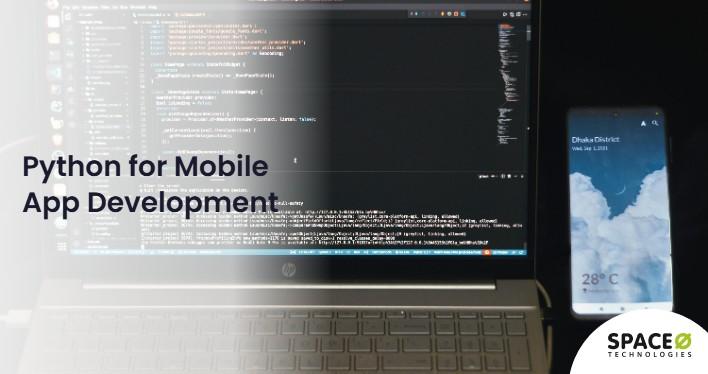
Most businesses assume Python has no place in mobile. That assumption costs them the most powerful AI backend available today. According to Data Insights Market, the global Python program development market is projected to reach $8.52 billion by 2033, growing at a CAGR of 11.2%, driven largely by AI adoption across mobile and enterprise applications.
Python for mobile app development means building the intelligent backend that makes apps smart, not the UI. It powers AI-driven recommendations, real-time chatbots, predictive analytics, image recognition, and scalable APIs that serve millions of users. Every major AI library, from TensorFlow to PyTorch to scikit-learn, runs on Python, making it the only practical language for connecting mobile frontends to production-grade AI without workarounds.
Any experienced Python development company already uses this approach to deliver AI-powered mobile products across healthcare, finance, retail, and logistics. Building a Python-powered mobile app typically costs between $25,000 and $300,000+, depending on complexity and AI requirements.
This guide covers how Python powers mobile backends, AI use cases, framework comparisons, development costs, and a step-by-step build process. Let’s start with the three primary roles Python plays in mobile app development.
How Python Powers Mobile App Development
Python plays three distinct roles in mobile app development. Each one addresses a different layer of the mobile stack, and understanding them helps you choose the right architecture for your project.
Role 1: AI-powered mobile backend
The primary role of Python in mobile is backend development. Python frameworks handle the server-side logic that mobile frontends depend on.
What it handles:
- API layer: REST and GraphQL endpoints built with FastAPI, Django REST Framework, or Flask
- Authentication: JWT tokens, OAuth2 flows, and session management for secure mobile access
- Real-time features: WebSocket connections for chat, live notifications, and streaming data
- Data processing: File uploads, media processing, push notification dispatch, and analytics ingestion
- Payment and integrations: Payment gateways, CRM connections, and third-party API orchestration
This backend architecture mirrors what is used in Python for web development, adapted for mobile-specific needs like offline data sync, low-latency responses, and bandwidth optimization.
Role 2: AI and ML feature layer
This is where Python creates the strongest differentiation for mobile apps. No other language offers a comparable AI ecosystem for production use.
What it enables:
- Recommendation engines: Personalized content and product suggestions powered by collaborative filtering and deep learning models
- NLP and chatbots: Conversational interfaces using Rasa, LangChain, and Hugging Face Transformers
- Computer vision: Image recognition, object detection, and visual search using OpenCV, YOLO, and TensorFlow
- Predictive analytics: User behavior forecasting, churn prediction, and dynamic pricing through scikit-learn and PyTorch models
Python’s AI libraries integrate directly with the backend, serving ML model predictions through APIs that React Native, Flutter, or native iOS/Android frontends consume in real time.
Role 3: Cross-platform app prototyping
For teams that need rapid prototyping, Python can also build the mobile UI layer directly.
Two frameworks to consider:
- Kivy: Supports multi-touch interfaces and runs on both Android and iOS. Best for MVPs and proof-of-concept apps
- BeeWare: Compiles Python to native mobile code, producing apps that follow platform-specific design patterns
These frameworks work best for internal tools and prototypes where time-to-market matters more than pixel-perfect native performance. For production consumer apps, the recommended approach is a Python backend paired with a React Native or Flutter frontend.
This brings us to the specific AI-powered features that Python enables in mobile applications.
Ready to Build an Intelligent AI-Powered Mobile App with a Python Backend?
Our Python developers have delivered 500+ successful AI projects. Get a free consultation and technical architecture recommendation for your mobile app today.
Key AI-Driven Use Cases of Python in Mobile App Development
Python enables a wide range of AI-driven mobile features. Here are six use cases that deliver measurable business impact. For a deeper exploration of what Python can do with AI, check out Python AI use cases.
AI-powered chatbots and virtual assistants
Python powers conversational AI through libraries like Rasa, LangChain, and Hugging Face Transformers. Mobile chatbots built on these frameworks handle customer support, appointment scheduling, and product recommendations without human intervention.
Real-time image and video recognition
Python’s computer vision libraries like OpenCV and YOLO enable mobile apps to identify objects, detect defects, read text, and analyze visual data in real time for industries ranging from healthcare diagnostics to retail product discovery.
Predictive analytics and personalization
Python’s machine learning app development ecosystem powers recommendation engines that analyze user behavior patterns and deliver personalized content, product suggestions, and dynamic pricing through ML models integrated into mobile backends.
Voice and speech recognition
Python libraries like SpeechRecognition, DeepSpeech, and Whisper enable voice-controlled mobile features including voice search, dictation, hands-free navigation, and real-time audio transcription for accessibility-focused applications.
Fraud detection and security automation
Python ML models detect fraudulent transactions, unauthorized access, and suspicious behavior in mobile banking and eCommerce apps by analyzing transaction patterns and flagging anomalies before they cause financial damage.
AI-driven health monitoring and IoT integration
Python connects mobile apps to wearables and IoT devices, processing health data through AI models that track vital signs, predict health risks, and deliver personalized wellness recommendations for telemedicine and fitness applications.
Now that you understand what Python can do for mobile apps, let’s look at the specific frameworks and tools that make it possible.
Python Frameworks and Tools for Mobile App Development
Choosing the right Python framework depends on your mobile app’s requirements, performance needs, and the level of AI integration you need.
The following table compares the most popular Python frameworks used in mobile app development.
| Framework | Best For | Performance | AI/ML Support |
|---|---|---|---|
| FastAPI | High-performance APIs, async backends | 15,000–20,000 req/sec | Excellent |
| Django + DRF | Full-stack backends, admin panels | Moderate | Good |
| Flask | Lightweight APIs, microservices | 2,000–3,000 req/sec | Good |
| Kivy | Cross-platform mobile UI prototyping | Moderate | Limited |
| BeeWare | Native mobile UIs from Python | Moderate | Limited |
FastAPI has become the preferred choice for AI-powered mobile backends due to its async capabilities, automatic API documentation, and native support for Python type hints that reduce development time.
Beyond frameworks, Python’s ecosystem includes essential tools for mobile backend development:
- TensorFlow Lite and PyTorch Mobile for deploying optimized ML models on mobile devices
- Celery and Redis for background task processing, like push notifications and data syncing
- Docker and Kubernetes for containerized backend deployment and auto-scaling
- SQLAlchemy and Django ORM for database management with PostgreSQL or MongoDB
- Swagger/OpenAPI for Python API development documentation and testing
For teams developing Python APIs that serve mobile frontends, FastAPI combined with PostgreSQL, Redis, and Docker provides a production-ready stack that handles both standard requests and AI model inference efficiently.
Building on these tools, let’s walk through the step-by-step process to build a Python-powered mobile app.
Need Expert Help Choosing the Right Python Stack for Your Mobile App?
Our senior architects evaluate your specific requirements and recommend the optimal Python framework, AI tools, and cloud deployment infrastructure for your app.
Step-by-Step Process to Build a Python-Powered Mobile App
Building a Python-powered mobile app follows a structured process. Whether you are developing a simple MVP or an enterprise-grade AI application, these five steps ensure a successful outcome.
Step 1: Define business goals and AI requirements
Start by identifying the specific business problem your mobile app will solve and the AI features that will differentiate it from competitors. Work with consultants to assess technical feasibility and define measurable success metrics before writing any code.
Action items:
- Identify the core business problem and target users
- List required AI/ML features (chatbot, recommendations, image recognition)
- Define success metrics (response time, accuracy, user engagement)
- Assess data availability and quality for training AI models
- Set a realistic budget and timeline based on the complexity level
- Partner with a Python consulting services provider for better feasibility assessment
Step 2: Design the mobile app architecture
Design a scalable architecture that clearly separates the mobile frontend from the Python backend layer. Choose between a monolithic or microservices approach based on your app’s complexity, expected user volume, and growth trajectory over the next two to three years.
- Select frontend technology (React Native, Flutter, or native iOS/Android)
- Choose Python backend framework (FastAPI for AI-heavy apps, Django for full-stack)
- Design API contracts between frontend and backend
- Plan database schema and data storage strategy
- Define authentication and security architecture (JWT, OAuth2)
Step 3: Develop the AI-powered Python backend
Build the backend APIs, integrate AI models, and set up the data infrastructure required for your mobile application. This phase covers core business logic, ML model training or pre-trained model integration, and connecting essential third-party services that your mobile app depends on.
- Build RESTful or GraphQL APIs using FastAPI or Django REST Framework
- Develop and integrate AI/ML models (TensorFlow, PyTorch, scikit-learn)
- Set up database connections (PostgreSQL, MongoDB, Redis)
- Implement real-time features (WebSockets for chat, push notifications)
- Integrate payment gateways, analytics, and third-party APIs
Step 4: Integrate AI models with the mobile frontend
Connect the Python backend to the mobile frontend through AI integration services. Ensure that all AI features work reliably across different devices, network conditions, operating systems, and user scenarios to deliver consistent performance in production environments for all end users.
- Expose AI model predictions through optimized API endpoints
- Implement caching for frequently requested predictions
- Handle offline scenarios with local data storage and sync
- Optimize payload sizes for mobile network performance
- Test AI features across multiple devices and OS versions
Step 5: Test, deploy, and monitor with MLOps
Deploy the containerized backend to cloud infrastructure and set up comprehensive monitoring pipelines for ongoing performance tracking. A robust MLOps pipeline ensures your AI models maintain accuracy, reliability, and performance as real-world data patterns evolve and change over time.
- Deploy containerized backend to AWS, Google Cloud, or Azure
- Set up CI/CD pipelines for automated testing and deployment
- Implement model monitoring for accuracy, latency, and data drift
- Schedule automated model retraining based on new data
- Configure alerting systems for performance degradation
With the development process clear, the next question is how much this investment costs.
How Much Does It Cost to Build a Mobile App with Python
Building a Python-powered mobile app typically costs between $25,000 and $300,000+. The final cost depends on app complexity, AI feature requirements, backend infrastructure, and the engagement model you choose.
The following table breaks down estimated costs by app complexity level.
| Complexity Level | Features | AI/ML Integration | Estimated Cost | Timeline |
|---|---|---|---|---|
| Basic MVP | Simple backend APIs, auth, push notifications | None or minimal | $25,000 – $50,000 | 2–3 months |
| Mid-Level App | Full backend, real-time features, payment integration | Basic AI (chatbot, recommendations) | $50,000 – $150,000 | 3–6 months |
| Advanced AI App | Scalable microservices, complex integrations | Advanced AI/ML (computer vision, NLP, predictive analytics) | $150,000 – $300,000 | 6–12 months |
| Enterprise-Grade | Multi-tenant, compliance, high availability | Full AI stack with MLOps pipeline | $300,000 – $500,000+ | 9–18 months |
These estimates cover end-to-end Python mobile app development, including backend, AI models, and deployment infrastructure.
Key factors that influence cost
Several factors determine where your project falls within these ranges:
- Scope of AI features: Pre-trained models (OpenAI APIs, Hugging Face) cost less than custom model training with proprietary data
- Backend complexity: A monolithic backend costs less upfront than a microservices architecture, but microservices scale better long-term
- Third-party integrations: Each payment, CRM, analytics, or ERP integration adds development time and complexity
- Scalability requirements: Building for thousands of users costs less than architecting for millions
- Compliance and security: HIPAA, GDPR, and SOC 2 compliance add 15-30% to development costs
- Ongoing costs: Model monitoring, retraining, and cloud infrastructure typically run 15-25% of the initial build cost annually
Cost optimization strategies
You can reduce costs without sacrificing quality by following these strategies:
- Start with an MVP to validate your concept before scaling
- Use pre-trained AI models instead of training custom models from scratch
- Choose FastAPI for high-performance backends that require less infrastructure
- Leverage managed cloud services (AWS SageMaker, Google Vertex AI) to reduce DevOps overhead
- Consider partnering with an AI app development services provider with expertise in Python that provides end-to-end delivery
Understanding costs is essential, but equally important is knowing the challenges you may face. Let’s address those next.
Get a Detailed Cost Estimate for Your Python Mobile App Project Today
Share your app requirements with our team. We provide a free, no-obligation cost estimate along with a technical roadmap tailored to your project.
Challenges of Using Python for Mobile App Development and How to Overcome Them
Python is powerful for mobile backends and AI features, but it comes with specific challenges. Here is how to address each one.
Performance limitations on mobile devices
Python is an interpreted language, which makes it slower than compiled languages like Swift or Kotlin for on-device processing. This becomes a concern when running complex computations or AI inference directly on the user’s mobile device.
Solution
- Use Python only for backend processing and serve results through APIs
- Deploy optimized ML models using TensorFlow Lite or ONNX Runtime for on-device inference
- Implement caching strategies to reduce redundant backend calls
- Use async processing with FastAPI to handle concurrent requests efficiently
Limited native UI capabilities
Python frameworks like Kivy and BeeWare produce functional cross-platform UIs, but they lack the polish and responsiveness of native iOS and Android interfaces or modern cross-platform frameworks like React Native and Flutter.
Solution
- Use Python exclusively for the backend and AI layer
- Pair it with React Native or Flutter for the mobile frontend
- Reserve Kivy and BeeWare for internal tools, prototypes, or MVPs only
- Maintain a clear separation between backend logic and frontend presentation
App size and dependency management
Python-based mobile apps built with Kivy or BeeWare have larger package sizes due to bundled Python runtime and dependencies. This affects download rates, storage consumption, and user acquisition on app stores.
Solution
- Optimize dependencies by including only required packages
- Use tree-shaking and dead code elimination during builds
- Prefer lightweight libraries over heavy frameworks where possible
- For production apps, keep Python on the server and use native mobile runtimes
Scaling the backend for millions of users
As your mobile app grows, the Python backend must handle increased traffic, more AI model requests, and larger datasets. Scaling requires deliberate architecture decisions and experienced engineers. Consider working with teams that hire Python developers with production scaling experience.
Solution
- Design for horizontal scaling from the start with containerized microservices
- Use load balancers and auto-scaling groups on cloud infrastructure
- Implement database read replicas and connection pooling
- Deploy AI models on dedicated inference servers with GPU acceleration
- Monitor performance and set up alerts for capacity planning
According to Stack Overflow’s 2025 Developer Survey, 57.9% of developers worldwide used Python in 2025, a 7 percentage-point increase from the previous year. This growing adoption means a larger talent pool for scaling your Python mobile backend team.
Despite these challenges, Python remains the strongest choice for AI-driven mobile apps. Let’s see how it compares to other languages.
Why Choose Python Over Other Languages for AI-Driven Mobile Apps
When building mobile apps with AI capabilities, the choice of backend language directly impacts development speed, AI feature quality, and long-term maintainability.
The following table compares Python against common alternatives for AI-driven mobile app development.
| Factor | Python | JavaScript (Node.js) | Java/Kotlin | Swift |
|---|---|---|---|---|
| AI/ML ecosystem | Strongest (TensorFlow, PyTorch, scikit-learn) | Limited | Moderate | Limited |
| Backend performance | High (FastAPI: 15,000–20,000 req/sec) | High | High | N/A (frontend only) |
| Mobile native UI | Limited (Kivy, BeeWare) | React Native | Native Android | Native iOS |
| Developer availability | Highest demand | High | High | Moderate |
| Prototyping speed | Fastest | Fast | Moderate | Moderate |
| AI model integration | Native support | Requires bridges | Requires bridges | Requires bridges |
Python’s advantage is clear for mobile apps that depend on AI features. Its AI and ML ecosystem is unmatched, with thousands of pre-built models, libraries, and tools that no other language can offer.
For most AI-driven mobile apps, the recommended architecture is a Python backend (FastAPI or Django) handling business logic and AI inference, paired with a React Native or Flutter frontend for the user interface. This approach gives you the best of both worlds: Python’s AI strength and native mobile performance.
If you need to scale your team for this kind of project, you can hire AI developers who specialize in Python-powered mobile solutions.
Now let’s address the most common questions about Python for mobile app development.
Partner with Python Experts to Build Your Next AI-Powered Mobile App Today
From backend architecture to AI model deployment, our Python team handles the complete mobile app development lifecycle for your business needs today.
Build Your AI-Powered Mobile App with Space-O AI
Python for mobile app development powers intelligent backends, AI-driven features, and scalable APIs that modern mobile apps require. From FastAPI backends to TensorFlow-powered ML models, Python provides the complete ecosystem needed for building competitive, AI-powered mobile applications for your business.
Space-O AI brings 15+ years of software development expertise and 500+ successful AI projects delivered across healthcare, finance, retail, and manufacturing industries. Our experienced team has helped businesses worldwide transform their operations with production-ready AI solutions and intelligent mobile applications.
Our Python developers specialize in building high-performance mobile backends with FastAPI, integrating custom AI models for real-time inference, and deploying scalable cloud infrastructure. We have successfully delivered Python-powered mobile solutions that achieve measurable improvements in user engagement and operational efficiency.Ready to build your AI-powered mobile app with Python? Contact Space-O AI today for a free consultation. Our senior architects will assess your requirements, recommend the right technical approach, and provide a detailed project estimate to get you started confidently.
Frequently Asked Questions About Python for Mobile App Development
Is Python good for AI-powered mobile apps?
Python is the best language for AI-powered mobile apps. Its ecosystem includes TensorFlow, PyTorch, scikit-learn, and Hugging Face, providing pre-built models and tools for chatbots, image recognition, recommendations, and predictive analytics that mobile frontends consume through APIs.
What Python frameworks are best for mobile app backends?
FastAPI is the top choice for high-performance mobile backends, handling 15,000-20,000 requests per second. Django REST Framework is ideal for full-stack applications with admin panels. Flask works well for lightweight microservices and simple APIs.
How does Python compare to JavaScript for mobile app development?
Python excels in AI and ML capabilities, while JavaScript (via Node.js and React Native) offers a unified language for frontend and backend. For AI-heavy mobile apps, a Python backend with React Native frontend provides the strongest combination of both strengths.
How much does it cost to build a mobile app with Python?
Costs range from $25,000 for a basic MVP to $300,000+ for advanced AI applications. Key cost drivers include AI feature complexity, backend architecture, third-party integrations, scalability requirements, and ongoing model maintenance.
Can Python handle real-time features in mobile apps?
Yes. FastAPI supports WebSocket connections for real-time features like chat, live notifications, and streaming data. Combined with Redis and Celery for background tasks, Python handles real-time mobile requirements effectively at scale.
What AI features can Python add to a mobile app?
Python enables chatbots, recommendation engines, image and video recognition, voice processing, fraud detection, predictive analytics, personalization, and health monitoring. These features are served through backend APIs that React Native, Flutter, or native mobile frontends consume.
Is Python fast enough for mobile app backends?
Yes. FastAPI handles 15,000-20,000 requests per second, which is comparable to Node.js for most mobile workloads. For compute-heavy AI tasks, Python backends offload inference to dedicated GPU servers or managed ML services like AWS SageMaker, keeping response times low.
What is the best architecture for a Python-based mobile app?
The recommended architecture is a Python backend (FastAPI or Django) deployed in Docker containers on cloud infrastructure, with a React Native or Flutter frontend. AI models run on the backend and serve predictions through optimized API endpoints that the mobile app consumes.
Can Python handle millions of mobile app users?
Yes, with the right architecture. Horizontally scaled Python microservices behind load balancers, combined with Redis caching, database read replicas, and auto-scaling groups on AWS or Google Cloud, can handle millions of concurrent users. The key is designing for scale from the start.
How long does it take to build a mobile app with Python?
A basic MVP with a Python backend takes 2–3 months. A mid-level app with AI features like chatbots or recommendations takes 3–6 months. Enterprise-grade applications with advanced AI, compliance, and high availability can take 9–18 months, depending on scope.
What industries use Python for mobile app development?
Healthcare, fintech, eCommerce, logistics, and education are the most common. Healthcare apps use Python for AI diagnostics and patient monitoring. Fintech apps rely on Python for fraud detection and risk scoring. eCommerce apps use Python-powered recommendation engines to personalize the shopping experience.


Building AI-Powered Mobile Apps with Python?
What to read next