- What Is an AI Voice Assistant?
- Three Main Types of Voice Assistants
- How AI Voice Assistants Work: The 4-Stage Pipeline
- Key Benefits of AI Voice Assistants
- How to Build an AI Voice Assistant: 10-Step Process
- Step 1: Define purpose and scope
- Step 2: Choose your technology stack and architecture
- Step 3: Collect and prepare training data
- Step 4: Preprocess and clean data
- Step 5: Train or fine-tune your models
- Step 6: Design natural conversation flows
- Step 7: Develop or integrate
- Step 8: Rigorous testing and quality assurance
- Step 9: Deploy and monitor
- Step 10: Continuous improvement and optimization
- The Technology Stack: What You Need to Build AI Voice Recognition Systems
- Build In-House, Use Off-the-Shelf, or Outsource Development: Decision Framework
- How Much Does It Cost to Build a Voice Assistant?
- Common Mistakes That Derail Voice AI Assistant Development
- Turn Your AI Voice Assistant Vision Into Reality With Space-O AI
- Frequently Asked Questions About Building AI Voice Assistants
- 1. How long does it typically take to build a custom voice assistant?
- 2. Can we build a voice assistant with limited AI expertise in-house?
- 3. What’s the difference between building custom versus using no-code platforms?
- 4. How accurate does speech recognition need to be?
- 5. What happens if the voice assistant doesn’t understand a user’s request?
- 6. How do we ensure data privacy and compliance when recording voice?
How to Make an AI Voice Assistant: A Step-by-Step Guide

 Last Updated: December, 26 2025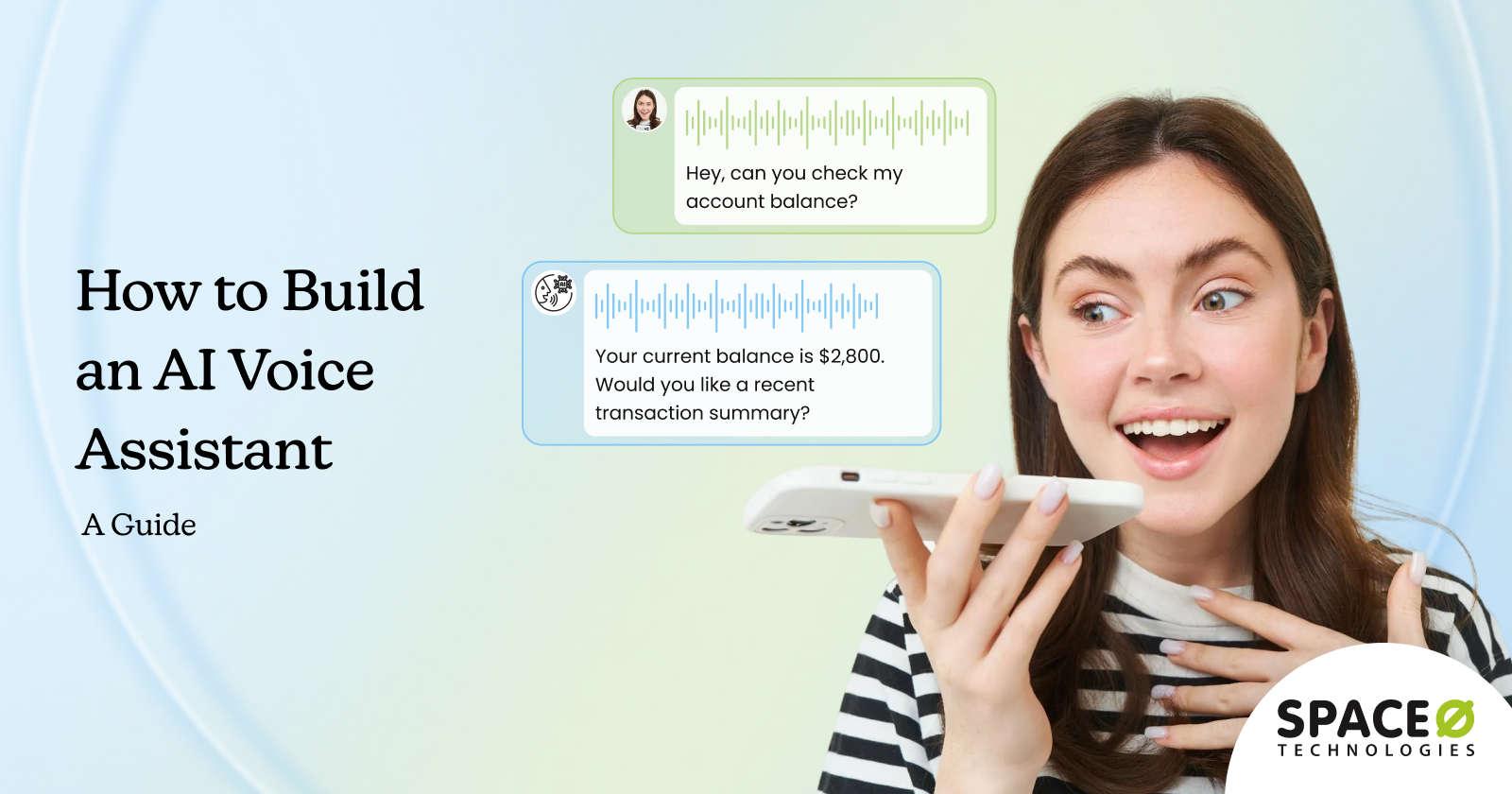
AI voice assistants have moved far beyond simple voice commands and novelty features. Today, they power customer support systems, smart devices, enterprise tools, and conversational applications across industries. From virtual assistants that schedule meetings to voice bots that handle customer queries, voice-driven interfaces are becoming a core part of modern digital experiences.
According to Business Research Insights, the global artificial intelligence voice assistant market was valued at USD 38.48 billion in 2024 and is projected to reach USD 155.68 billion by 2034, highlighting how rapidly voice-based AI adoption is accelerating.
Building a voice assistant requires combining speech recognition, natural language understanding, decision-making logic, and text-to-speech into a single, well-designed system.
This blog explains how to make an AI voice assistant. Learn about the core components, tools, and architectures involved, different approaches to development, and common challenges you may face along the way, based on our experience as a leading generative AI development agency.
What Is an AI Voice Assistant?
An AI voice assistant is a software system that understands spoken language, interprets user intent, and responds through voice in a natural, conversational manner. Unlike basic voice command tools that rely on fixed keywords, AI voice assistants use artificial intelligence technologies to process speech, understand context, and generate meaningful responses. Learn how to build conversational AI systems that power these experiences.
At a foundational level, an AI voice assistant listens to a user’s voice input, converts that speech into text using speech recognition, analyzes the text to understand what the user wants, and then produces a spoken response using text-to-speech technology. This entire process happens in real time, enabling hands-free and intuitive interactions between humans and machines.
AI voice assistants are used across a wide range of applications, from consumer devices like smart speakers and mobile assistants to enterprise use cases such as customer support automation, voice-enabled apps, and internal productivity tools.
As voice interfaces continue to gain adoption, AI voice assistants are becoming a key interaction layer for delivering faster, more accessible, and more natural digital experiences.
How voice assistants are different from chatbots
A chatbot with voice capabilities lets users talk to a text-based system. The technology converts your speech to text, processes it as a chatbot would, then converts the response back to speech. It works, but it’s not optimized for voice interactions.
A voice assistant is built from the ground up for spoken communication. It understands speech patterns, handles interruptions naturally, manages pauses and silence, and can provide responses that sound human. The architecture is fundamentally different. The user experience is noticeably better.
| Feature | Voice-Enabled Chatbot | True Voice Assistant |
| Architecture | Text-first, voice added | Voice-first, built from the ground up |
| Speech handling | Converts speech to text, then processes text | Processes speech patterns natively |
| Interruptions | Struggles with mid-response interruptions | Handles natural interruptions smoothly |
| Silence and pauses | May timeout or behave unpredictably | Manages pauses intelligently |
| Response naturalness | Can sound robotic or stiff | Designed for human-like conversation |
| Real-time capabilities | Limited by text processing | Streaming and real-time optimized |
| Context from tone | Doesn’t capture vocal cues | Understands tone and emotion |
| Build time | Faster (adds voice to the existing system) | Longer (ground-up architecture) |
| Cost | Lower initial cost | Higher initial cost, better long-term UX |
| Ideal for | Quick voice add-on to text chatbot | Primary voice interaction channel |
Three Main Types of Voice Assistants
AI voice assistants can be broadly categorized based on how they understand commands, process conversations, and make decisions. While real-world implementations often combine multiple approaches, there are three main types of voice assistants commonly used today.
1. General-purpose voice assistants
These handle broad ranges of tasks. A customer service voice assistant might answer billing questions, process returns, check order status, and route to human agents when needed. These are the most complex to build.
2. Specialized domain assistants
These focus deeply on one specific area. A medical appointment scheduling assistant, a legal document reviewer, or an IT support bot. Because they’re specialized, they can be more accurate and handle complexity better within their narrow domain.
3. Internal workflow assistants
These automate specific business processes. Employee leave requests, document retrieval, meeting scheduling, and expense report filing. These tend to be faster to build because the scope is well-defined and the user group is known.
How AI Voice Assistants Work: The 4-Stage Pipeline
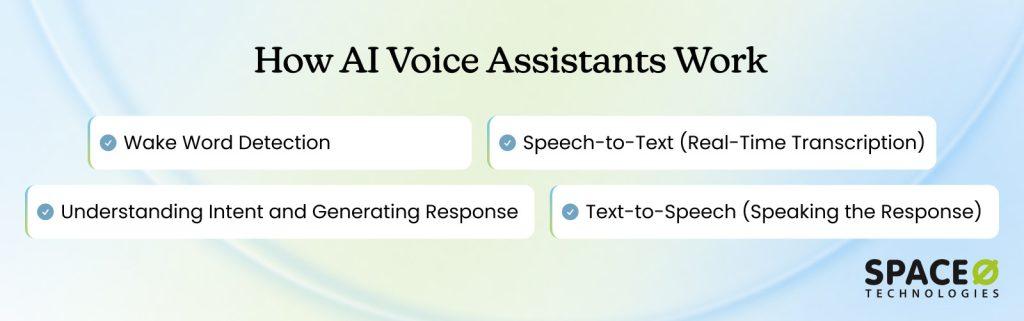
Understanding the architecture helps you appreciate what’s involved and why timelines matter. Every AI voice assistant, regardless of complexity, follows the same fundamental pipeline. Here’s how each stage works.
Stage 1: Wake word detection
Your voice assistant needs to listen constantly without draining resources. A small, lightweight audio classification model runs continuously on your device, trained to recognize one specific wake word like “Alexa,” “Hey Siri,” or your company name.
These models contain just a few million parameters compared to hundreds of millions in larger systems. When the model detects the wake word with sufficient confidence, it signals the system to launch the larger speech recognition model. Until then, larger models stay dormant, using minimal battery and computing power while remaining responsive.
Key takeaway: Wake word detection is the gatekeeper that keeps your system efficient and responsive.
Stage 2: Speech-to-text (Real-time transcription)
Once the wake word is detected, the system captures and transcribes whatever the user says. Automatic speech recognition (ASR) converts spoken audio into text that downstream components can process. Modern ASR systems achieve 95%+ accuracy on clean audio.
There’s a deployment choice: on-device transcription is faster and more private but less accurate. Cloud-based transcription is more accurate but introduces network latency. Many systems use both, with quick results from the on-device model while the cloud model validates in the background.
Key takeaway: ASR accuracy is foundational. Poor speech recognition cascades through the entire system.
Stage 3: Understanding intent and generating a response
This is where large language models (LLMs) come in. The transcribed text gets sent to an LLM, which understands context and intent, then generates an appropriate response.
When a customer says, “I want to reschedule my appointment for next Tuesday at 2 pm,” the system needs to understand the intent (schedule modification), extract data (Tuesday, 2 pm), integrate with calendar systems, and generate a natural response. LLMs handle this because they’re trained on vast human communication and understand context, complex requests, and natural response generation.
Key takeaway: LLMs do the thinking. They understand intent and decide what action to take.
Stage 4: Text-to-speech (Speaking the response)
Finally, the system converts its response back into natural-sounding speech. Text-to-speech (TTS) technology has advanced dramatically. Modern TTS can generate speech that is difficult to distinguish from human voices.
The quality of TTS directly impacts user experience. Robotic responses reduce confidence. Natural-sounding responses encourage engagement. TTS quality is often underestimated but matters enormously for adoption.
Key takeaway: The voice quality users hear is the final impression they take away.
As you now understand how voice assistants process information through these four stages, let’s understand the key benefits of building an AI voice assistant.
Key Benefits of AI Voice Assistants
AI voice assistants are no longer just convenience tools; they have become strategic assets for businesses looking to improve efficiency, customer experience, and accessibility. Below are the key benefits that explain why organizations across industries are adopting voice-driven solutions.
1. Faster, hands-free user interaction
Voice assistants enable users to perform tasks without typing or navigating interfaces. This hands-free interaction reduces friction, speeds up task completion, and improves usability, especially in scenarios where screens are impractical, such as driving, healthcare, or field operations.
2. Improved customer experience and engagement
AI voice assistants offer natural, conversational interactions that feel more intuitive than traditional menus or chat interfaces. By providing instant responses and personalized assistance, they enhance customer satisfaction and keep users engaged across touchpoints.
3. 24/7 availability and scalability
Unlike human agents, AI voice assistants operate around the clock without fatigue. They can handle thousands of simultaneous conversations, making them ideal for customer support, appointment booking, and FAQs, without increasing operational costs.
4. Reduced operational costs
Automating repetitive voice-based interactions significantly lowers the workload on support teams. Over time, this reduces staffing costs while maintaining consistent service quality, especially for high-volume queries.
5. Enhanced accessibility and inclusivity
Voice assistants make digital services more accessible for users with visual impairments, mobility challenges, or low digital literacy. This inclusivity helps organizations reach wider audiences and comply with accessibility standards.
6. Multilingual and global reach
Modern AI voice assistants support multiple languages and accents, enabling businesses to serve global audiences without building separate support systems for each region.
7. Data-driven insights from conversations
Voice interactions generate valuable data about user intent, behavior, and pain points. When analyzed correctly, these insights help businesses refine products, improve services, and optimize customer journeys.
To move from concept to implementation, let’s break down the step-by-step process of building an AI voice assistant.
How to Build an AI Voice Assistant: 10-Step Process
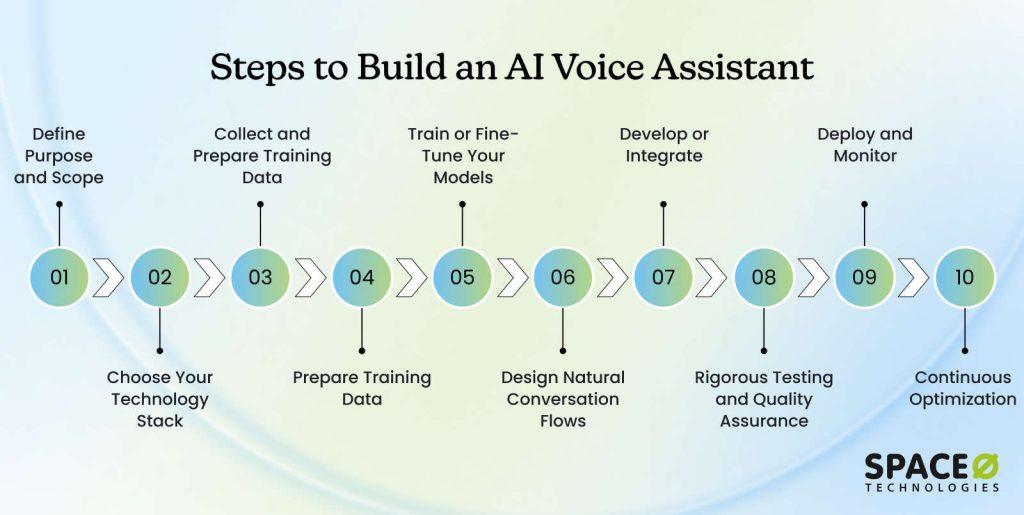
Building a custom voice assistant requires a structured approach. Skip steps or rush through them, and you’ll face costly problems later. This roadmap walks you through the proven process that delivers successful voice assistant implementations from concept to production.
Step 1: Define purpose and scope
This step takes 2 to 4 weeks but saves you months of wasted development. Too many projects fail because teams never validate that building a voice assistant actually solves a real problem. Clarity here prevents massive scope creep and budget overruns later.
Action items
- Define specific tasks the assistant will handle (not “customer service,” but “appointment scheduling” or “billing inquiries”)
- Identify primary users and their technical comfort level
- Document required system integrations (CRM, ERP, calendar, knowledge base)
- Identify regulatory or compliance requirements that apply
- Conduct 15–20 user interviews to validate voice is actually helpful
- Research what competitors or similar organizations have built
- Assess organizational readiness for AI implementation
Step 2: Choose your technology stack and architecture
Once you understand what you’re building, you need to decide how to build it. This step takes 1 to 2 weeks and involves choosing components for speech recognition, language models, infrastructure, and programming languages. Each choice affects timeline, cost, and final quality.
Action items
- Decide between on-device versus cloud-based processing
- Select ASR tool (Whisper, Google Cloud Speech, Azure, etc.)
- Select LLM (GPT-4, Claude, open-source alternatives)
- Select TTS tool (SpeechT5, Amazon Polly, Google Cloud TTS, etc.)
- Choose cloud provider (AWS, Google Cloud, Azure)
- Determine programming language stack (Python, JavaScript, C++)
- Document all tool selections with reasoning
- Estimate infrastructure costs based on expected volume
Step 3: Collect and prepare training data
You now know what you’re building. Data collection starts in parallel with technology selection. This step typically takes 3 to 8 weeks, depending on complexity. Quality training data is absolutely foundational to system accuracy.
Action items
- Determine data requirements (audio samples, transcripts, intent labels, entities)
- Calculate minimum data needed (varies from 100 to 1,000+ hours depending on domain)
- Collect audio samples from diverse speakers, accents, and noise environments
- Ensure transcripts are accurate and domain terminology is correct
- Get legal consent from all speakers (GDPR, privacy requirements)
- Anonymize sensitive information in data
- Organize data with clear metadata and labeling
- Document data sources and collection methodology
Step 4: Preprocess and clean data
Before your data goes into model training, it needs preparation. This step takes 2 to 3 weeks and is often underestimated. Poor data quality produces poor results, no matter how good your models are.
Action items
- Remove silence and irrelevant audio artifacts
- Normalize audio levels across all recordings
- Tokenize text and remove stop words where appropriate
- Split data into training (70%), validation (15%), and test sets (15%)
- Verify a random sample of processed data for quality
- Check for balance across speaker types, accents, and scenarios
- Flag and handle outliers or corrupted data
- Create a data quality report documenting all changes
Step 5: Train or fine-tune your models
The data is clean. Now models learn from it. This is where your custom voice assistant actually learns to understand your specific domain and language patterns. This step typically takes 4 to 12 weeks, depending on your approach (fine-tuning versus training from scratch).
Action items
- Decide between training from scratch, fine-tuning, or using pre-trained models
- Select base models to fine-tune (Whisper for ASR, open LLMs for understanding)
- Configure model hyperparameters and training settings
- Train models on your domain-specific data
- Monitor key metrics: Word Error Rate (WER), Intent Accuracy, Latency
- Set target accuracy thresholds for each component
- Run validation tests on held-out test data
- Document final model performance and any limitations
Step 6: Design natural conversation flows
While engineers train models, UX and conversation design teams build how conversations will actually happen. This step takes 3 to 4 weeks and is critical for user satisfaction. Technical accuracy means nothing if conversations feel unnatural. When you make your own voice assistant, conversation design directly impacts whether users actually adopt the system.
Action items
- Map 80% of common user scenarios and expected flows
- Write conversational scripts for each scenario
- Design error handling and clarification flows
- Create fallback responses when the system can’t understand
- Plan escalation logic to human agents
- Design multi-turn conversation contexts
- Test conversation flows with 10-15 real users
- Refine flows based on user feedback
- Document conversation design principles and patterns
Step 7: Develop or integrate
Now the actual coding happens. Your team or partner builds the application layer that ties all components together. This step typically takes 4 to 16 weeks, depending on whether you’re building standalone or integrating into existing systems.
Action items
- Design system architecture and data flows
- Build an API layer connecting all components
- Implement conversation state management
- Develop business logic and workflow automation
- Integrate with required backend systems (CRM, ERP, databases)
- Build error handling and retry logic
- Implement security protocols and authentication
- Set up logging and monitoring infrastructure
- Create deployment pipelines and CI/CD setup
Step 8: Rigorous testing and quality assurance
Before launch, your system needs comprehensive testing. Testing is not optional. Poor quality in production damages trust and wastes implementation investment. Testing takes 2 to 4 weeks minimum, but ongoing testing continues forever. This is where voice assistant development truly separates successful implementations from failed ones.
Action items
- Test ASR accuracy and latency first (foundation must be solid)
- Verify NLU accuracy on domain-specific queries
- Test API integrations under normal and peak load
- Conduct end-to-end load testing with realistic traffic volumes
- Test with diverse speakers, accents, and noise levels
- Verify edge cases (silence, overlapping speech, unclear requests)
- Conduct security testing and vulnerability assessments
- Perform user acceptance testing with real users
- Measure and document all performance metrics
- Fix critical issues before proceeding to launch
Step 9: Deploy and monitor
Once testing confirms readiness, you deploy to production. Deployment typically takes 1 to 2 weeks for infrastructure setup, but ongoing operations continue indefinitely. Have a support team ready for incidents during the critical first week.
Action items
- Set up cloud infrastructure (servers, databases, networking)
- Configure containerization (Docker) and orchestration (Kubernetes)
- Deploy the application to the staging environment first
- Test the full production setup with real traffic simulation
- Deploy to production with gradual rollout (not all at once)
- Set up comprehensive monitoring dashboards
- Establish on-call support procedures and incident response
- Train the support team on system operation and troubleshooting
- Monitor closely during the first week for unexpected issues
Step 10: Continuous improvement and optimization
Launch is not the finish line. It’s the beginning. The best voice assistants continuously improve based on real usage. This is where you discover what actually works versus what you assumed would work.
Action items
- Capture all conversation data (without storing sensitive information)
- Review escalations regularly to identify improvement opportunities
- Monitor accuracy metrics weekly and watch for degradation
- Collect user feedback through post-conversation surveys
- Analyze common failure patterns and root causes
- Retrain models quarterly or biannually with new data
- Implement improvements to conversation flows based on feedback
- Add new capabilities based on user requests and business needs
- Stay current with AI advances and evaluate new model versions
- Track ROI and business impact metrics monthly
These 10 steps provide the complete blueprint for successfully building and deploying your own AI voice assistant. However, while planning to build AI voice assistants, choosing the right set of tools and technologies is essential for ensuring success.
The Technology Stack: What You Need to Build AI Voice Recognition Systems
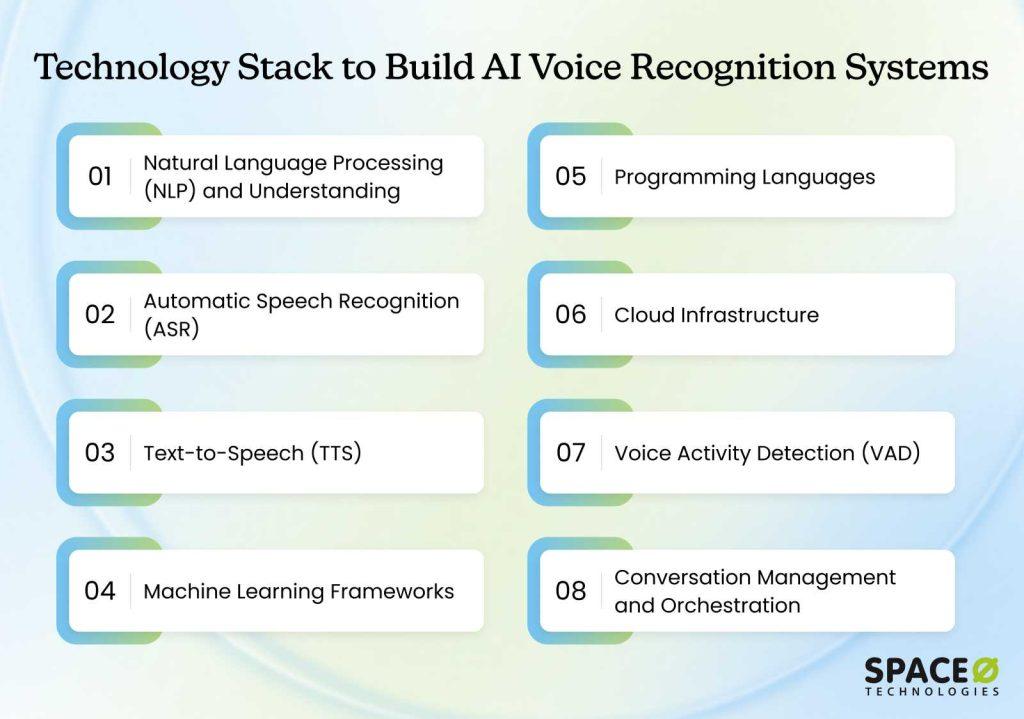
Building a voice assistant requires several distinct technologies working together. Understanding each component helps you decide what to build versus buy, what to customize, and where to focus resources. If you’re exploring how to build your own voice assistant, understanding these components is essential.
1. Natural Language Processing (NLP) and Understanding
What it does: NLP takes transcribed text and extracts meaning. It identifies user intent, extracts relevant entities (dates, names, amounts), and understands conversation context.
Common tools: Hugging Face Transformers library, spaCy, OpenAI API, Anthropic Claude, LLaMA.
Key considerations: Accuracy on domain-specific language, speed of processing, cost per inference, and multilingual support.
Why it matters: Better NLU directly reduces user frustration and escalations to human agents.
2. Automatic Speech Recognition (ASR)
What it does: Converts spoken audio into text that downstream components can process. Modern systems achieve 95%+ accuracy on clean audio but degrade with noise, accents, and specialized terminology.
Common tools: OpenAI Whisper (680,000 hours training), Google Cloud Speech-to-Text, Microsoft Azure Speech Services, Wav2Vec2, Mozilla DeepSpeech.
Key considerations: Real-time versus batch processing, accuracy in noisy environments, accent handling, domain-specific terminology support, and cost per minute.
Why it matters: ASR accuracy is foundational. Poor speech recognition cascades through the entire system and cannot be fixed downstream.
3. Text-to-Speech (TTS)
What it does: Converts the system’s text responses back into natural-sounding speech. Quality ranges from obviously robotic to nearly indistinguishable from humans.
Common tools: Microsoft SpeechT5, Google Cloud Text-to-Speech, Amazon Polly, ElevenLabs, OpenAI TTS.
Key considerations: Voice naturalness, latency (how quickly speech is generated), voice customization options, multilingual support, and streaming capabilities.
Why it matters: TTS quality directly impacts user confidence. Robotic voices reduce engagement; natural voices encourage continued interaction.
4. Machine learning frameworks
What it does: Provides the infrastructure to train or fine-tune models for your specific domain. Handles mathematical operations, memory management, and hardware optimization.
Common tools: TensorFlow, PyTorch, JAX, Keras, Hugging Face Transformers.
Key considerations: Team expertise with the framework, performance on your hardware, community support, and integration with other tools.
Why it matters: Frameworks accelerate development and ensure models are optimized for performance and accuracy.
5. Programming languages
What it does: Languages are the tools your developers use to build the entire system. Different languages serve different purposes.
Common tools:
- Python (backend AI, ML components)
- JavaScript/Node.js (API layer, web services)
- C++ (edge computing, performance-critical components)
- Go (microservices, concurrent processing)
Key considerations: Team expertise, performance requirements, ecosystem maturity, and long-term maintainability.
Why it matters: Language choice affects development speed, team productivity, system performance, and maintenance burden.
6. Cloud infrastructure
What it does: Provides servers, storage, and networking to run your LLMs, databases, and APIs. Handles scaling to manage traffic spikes.
Common tools: AWS (EC2, SageMaker, Lambda), Google Cloud (Compute Engine, Vertex AI), Microsoft Azure (VMs, Cognitive Services), DigitalOcean, Render.
Key considerations: Pricing models, compliance options (HIPAA, GDPR), latency to users, data center locations, vendor lock-in risk.
Why it matters: Infrastructure choice affects cost, scalability, compliance options, security, and system latency.
7. Voice Activity Detection (VAD)
What it does: Detects when the user stops speaking so the system knows to stop listening and process the request. Without VAD, systems either wait indefinitely or time out awkwardly.
Common tools: Silero VAD, WebRTC VAD, Krisp, Deepgram VAD, and custom models.
Key considerations: Accuracy across accents and noise levels, latency, ability to distinguish speech from background noise, and false positive rates.
Why it matters: Good VAD makes conversations feel natural and responsive; poor VAD creates frustrating pauses and delays.
8. Conversation management and orchestration
What it does: Manages conversation state across multiple turns, handles context retention, routes to human agents, and implements business logic. This is the glue coordinating all other components.
Common tools: LangChain, LangGraph, Rasa, AutoGen, custom solutions using message queues (RabbitMQ, Kafka).
Key considerations: Complexity of your workflows, state management needs, escalation logic, and integration capabilities with your systems.
Why it matters: Poor orchestration creates choppy, fragmented user experiences; good orchestration feels seamless and intelligent. Building effective conversation orchestration demands deep knowledge of your specific systems and workflows. Teams implementing custom voice assistants typically work with AI integration service providers to architect this critical component correctly.
With the development process and technology stack clear, let’s understand the different ways to build artificial intelligence voice assistants.
Build In-House, Use Off-the-Shelf, or Outsource Development: Decision Framework
At this point, you understand what building a voice assistant involves. Time to decide: build it yourself, buy a pre-built solution, or partner with experts? Understanding these three paths is essential whether you’re planning to make your own voice assistant or seeking the fastest route to deployment.
Option 1: Full custom build in-house
Choose this only if the voice assistant is a long-term strategic capability and you can justify dedicated AI engineering headcount. You hire a team of AI engineers, speech engineers, and ML specialists and build everything from scratch. You maintain complete control and own all the intellectual property.
Best for: Large enterprises with in-house AI expertise, specific proprietary requirements, long-term vision, and budget to match.
Realistic timeline: 6–12 months from decision to production.
Realistic cost: $250,000 to $1,000,000+. This includes salaries (major cost driver), infrastructure, tools, and ongoing operations.
Pros: Unlimited customization, full data control, alignment with internal systems, and builds internal expertise.
Cons: High upfront cost, long timeline, requires hiring specialized talent (hard to find), and the internal team must stay current with rapid AI changes.
Option 2: No-code/Low-code builders
Use this when speed and experimentation matter more than performance, security, or long-term ownership. Tools like VoiceFlow or SiteSpeakAI allow teams to design conversational flows without deep engineering involvement. This is the easiest path to create your own AI assistant quickly, though with limitations.
Best for: Rapid prototyping, simple use cases, limited budgets, and smaller organizations without development resources.
Realistic timeline: 2-4 weeks from concept to MVP.
Realistic cost: $10,000 to $50,000. Mostly for the initial build and some customization. Monthly recurring costs apply.
Pros: Fastest time-to-market, lowest upfront cost, no coding required, easy to modify.
Cons: Limited customization options, privacy concerns (your data on their servers), vendor lock-in, doesn’t scale to complex requirements, and limited integration options.
Option 3: Outsource to Development Partners
You partner with experienced developers who have built voice assistants before. They handle discovery, architecture, development, testing, deployment, and ongoing optimization. You maintain involvement but rely on their expertise and proven processes.
Best for: Organizations wanting faster delivery, proven methodology, reduced risk, and access to specialized expertise without building an internal team.
Realistic timeline: 4–6 months from decision to production, depending on complexity and scope.
Realistic cost: $40,000 to $250,000+, depending on requirements. Ongoing support is typically $2,000-$5,000 monthly.
Pros: Faster than custom, more flexible than platforms, proven processes, risk reduction, access to specialized talent, full customization, complete data control, and ongoing support included.
Cons: Higher cost than no-code, requires clear communication and collaboration, and less hands-on control than building in-house.
Choosing how to build your voice assistant is only half the decision; the other half is understanding what that choice means for your budget over time. So, let’s take a quick look at how much it costs to build an AI voice assistant.
How Much Does It Cost to Build a Voice Assistant?
The cost to build an AI voice assistant typically ranges from $15,000 for a basic MVP to $150,000+ for a fully custom, enterprise-grade solution. Pricing varies based on the assistant’s intelligence, supported platforms, integrations, and long-term scalability requirements.
For businesses planning to build their own voice assistant, it’s important to look beyond upfront development and factor in ongoing operational costs as well.
Voice assistant development cost breakdown by complexity
| Complexity Level | Key Features Included | Estimated Cost | Typical Use Case |
| Basic / MVP | Speech-to-text, text-to-speech, basic commands, limited workflows | $15,000–$30,000 | Prototypes, internal tools |
| Mid-Level Custom Assistant | NLU, context awareness, third-party API integrations, custom flows | $40,000–$80,000 | Customer support, apps, smart products |
| Advanced Assistant | Custom ML models, multilingual support, personalization, security & compliance | $100,000–$150,000+ | Fintech, healthcare, SaaS platforms |
This table highlights why voice assistant development costs scale quickly as conversational intelligence and integrations increase. As assistants move from rule-based interactions to context-aware conversations, they require more advanced NLP models, training data, and testing cycles.
Each new integration, whether with business systems, devices, or third-party APIs, adds engineering effort, security considerations, and ongoing maintenance overhead. At higher complexity levels, investments shift from feature delivery to reliability, performance optimization, and long-term scalability.
Ongoing costs of maintaining a voice assistant
Initial development is only part of the investment. To ensure reliability, accuracy, and continuous improvement, businesses should plan for recurring costs.
1. Cloud infrastructure & API usage
Voice assistants rely heavily on cloud services for speech processing and inference. These costs typically include:
- Speech-to-text and text-to-speech API usage fees
- Natural language processing and intent classification workloads
- Cloud storage for conversation logs and training data
- Auto-scaling infrastructure to handle peak traffic volumes
Estimated monthly cost: $500–$5,000+, depending on usage volume
2. Model training, tuning & optimization
As user interactions grow, models need regular tuning to maintain accuracy. Ongoing work in this area includes:
- Retraining models to support new intents and phrases
- Improving response accuracy and conversational flow
- Reducing latency and misinterpretation rates
- Optimizing models based on real user behavior and analytics
3. Third-party integrations & licensing
Many voice assistants depend on external systems to function effectively. Recurring costs may arise from:
- CRM, ERP, or customer support platform integrations
- IoT, smart device, or payment gateway connectivity
- Licensed datasets, voice models, or proprietary APIs
4. Monitoring, analytics & quality assurance
Continuous monitoring ensures reliable performance at scale. This typically involves:
- Conversation analytics and intent success tracking
- Error logging, fallback handling, and failure detection
- Cross-platform testing across devices and operating systems
5. Security, compliance & updates
For enterprise and regulated use cases, security maintenance is essential. Ongoing responsibilities include:
- Data encryption and access control updates
- Periodic security audits and vulnerability assessments
- Compliance updates for GDPR, HIPAA, PCI DSS, or regional regulations
Most organizations allocate 15–30% of the initial development cost per year for maintenance and improvements. Companies that hire AI developers or partner with dedicated AI development service providers often achieve better long-term cost control and faster iteration.
While it’s possible to make your own voice assistant using APIs and frameworks, scaling it into a reliable, intelligent system requires sustained investment. Factoring in ongoing costs early helps avoid technical debt and ensures your assistant continues to deliver value as user expectations evolve.
Even with the right budget in place, voice assistant initiatives can quickly go off track if common pitfalls aren’t identified early. Let’s take a look at a few of them.
Common Mistakes That Derail Voice AI Assistant Development
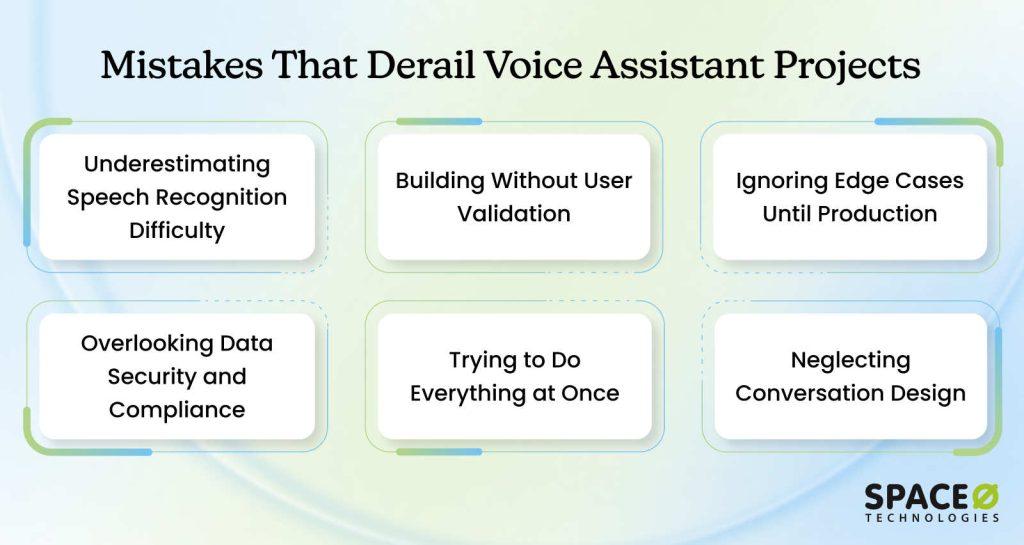
Voice assistant projects rarely fail because of technology alone. More often, they derail due to early decisions that seem reasonable at the time but create hidden problems later. The following common mistakes show where teams go wrong, and how to avoid them before damage is done.
Mistake 1: Underestimating speech recognition difficulty
Generic ASR models trained on broad internet audio struggle with domain-specific language. A financial system needs to understand acronyms like APR and DTI. Medical systems need medical terminology. Manufacturing systems need technical terms. When ASR misunderstands input, everything downstream fails and cannot be recovered by better LLMs or logic.
How to avoid it
- Test ASR accuracy early with your actual audio, not generic test data
- If accuracy doesn’t meet targets, fine-tune before building other components
- Measure Word Error Rate on domain-specific language and accents
- Invest in ASR quality first; it’s the foundation that everything else depends on
Mistake 2: Building without user validation
Teams design ideal conversations based on assumptions about how users will ask questions. Real users arrive and completely ignore the ideal path, phrasing things unexpectedly. They use slang and abbreviations that the system wasn’t prepared for. The gap between assumed behavior and actual user behavior is massive and predictable.
How to avoid it
- Conduct 15–20 user interviews during the design phase before development starts
- Test conversation flows with real users, not internal team members
- Observe how users currently handle the task manually
- Ask users to rate the naturalness of proposed interactions
- Use feedback to reshape design decisions, not justify predetermined architecture
Mistake 3: Ignoring edge cases until production
Teams ship systems handling normal cases perfectly, then users try edge cases: heavy background noise, diverse accents, complex multi-part requests, unusual sentence structures. The system breaks in ways that seem obvious afterward but weren’t caught in testing. Edge cases aren’t rare; they’re normal usage patterns.
How to avoid it
- Systematically create test cases for 50-100 examples in each edge case category
- Test with diverse speakers, including non-native speakers and varied accents
- Include background noise, silence, and interruption scenarios in testing
- Conduct stress testing with simultaneous requests and peak traffic volume
- Monitor edge case performance post-launch and retrain models when needed
Mistake 4: Overlooking data security and compliance
Teams decide to record audio, thinking privacy will be handled later. They collect data without consent, assuming they’ll get permission retroactively. Compliance issues surface: HIPAA violations carry penalties up to $1.5 million, and GDPR violations cost more. Remediation is expensive and embarrassing. You cannot retrofit compliance into an existing system.
How to avoid it:
- Map compliance requirements during the planning phase (HIPAA, GDPR, PCI-DSS)
- Implement PII redaction, encryption, and audit trails from day one
- Get explicit consent before recording any audio from users or employees
- Use role-based access controls, limiting who sees data
- Involve compliance teams in architecture decisions for regulated industries
Mistake 5: Trying to do everything at once
Teams want multilingual support, complex workflows, deep integrations, and advanced capabilities all in MVP. Scope bloats immediately. Timeline stretches. Budget runs out. Projects either fail or ship with compromised quality everywhere. Scope creep is the leading cause of delays and budget overruns in voice assistant projects.
How to avoid it
- Define MVP with one core use case, one language, and one channel only
- Say no to nice-to-haves that aren’t essential for proving core value
- Create versioned roadmap: MVP (core), Version 2 (expanded), Version 3 (nice-to-haves)
- Launch MVP first, gather user data, and expand based on what users actually need
- Build buffer into schedules for unknowns and cut features that don’t move the needle
Mistake 6: Neglecting conversation design
Teams assume good NLP means good conversations and focus entirely on technical accuracy: getting intents right, extracting entities correctly, calling APIs properly. Technically correct responses feel robotic. Users abandon systems that sound like machines, even intelligent machines. Conversation quality matters as much as technology.
How to avoid it
- Invest in conversation design as much as technical development
- Write actual scripts for conversations, and test flows with real users
- Use natural language matching your brand voice, not corporate jargon
- Build flexibility to handle unexpected variations and acknowledge confusion
- Have conversation designers review all flows before launch
Turn Your AI Voice Assistant Vision Into Reality With Space-O AI
Building a successful AI voice assistant goes far beyond connecting speech recognition and text-to-speech tools. Real impact comes from designing the right conversational flows, selecting suitable AI models, ensuring accuracy across real-world scenarios, and scaling the system securely as usage grows.
This is where choosing the right AI engineering partner becomes critical. An experienced AI development partner helps you move from experimentation to production by aligning technology choices with your business goals. From defining the right use case and architecture to building, training, and optimizing AI models, the right partner ensures your voice assistant delivers meaningful outcomes rather than just technical functionality.
Space-O AI is an experienced AI development agency that helps businesses design and build intelligent AI voice assistants tailored to real-world needs. With deep expertise in artificial intelligence, machine learning, NLP, and conversational AI, we offer end-to-end development, from strategy and prototyping to deployment and continuous improvement.
Whether you are building a voice assistant for customer support, enterprise automation, or product innovation, our team focuses on creating scalable, secure, and high-performance solutions.
If you are planning to build or scale an AI voice assistant and want expert guidance at every stage, consult with Space-O AI to explore the right approach for your business. A focused consultation can help you validate ideas, define the right architecture, and accelerate your path to a production-ready AI voice assistant.
Frequently Asked Questions About Building AI Voice Assistants
1. How long does it typically take to build a custom voice assistant?
A simple MVP with FAQ capabilities and basic actions takes 6–10 weeks. A production system with integrations and multilingual support takes 3–6 months. Enterprise deployments with compliance requirements and complex workflows typically take 6–12+ months. Timeline depends on scope, data availability, and integration complexity.
2. Can we build a voice assistant with limited AI expertise in-house?
It’s possible but risky. Voice assistants require specialized knowledge in speech recognition, NLP, conversation design, and system integration. Most organizations benefit from partnering with experienced developers rather than building internal expertise from scratch. You can hire AI developers to work alongside your team.
3. What’s the difference between building custom versus using no-code platforms?
No-code platforms get you to market faster (2–4 weeks) but offer limited customization and scalability. Custom development takes longer but gives you full control, better performance, and the ability to integrate deeply with your systems. For complex requirements, custom is worth the investment.
4. How accurate does speech recognition need to be?
For most applications, aim for less than 10% Word Error Rate. Financial services might need under 5% accuracy. Medical systems need even higher accuracy. Test with your actual audio and domain-specific language. Poor ASR accuracy cascades through the entire system and cannot be fixed downstream.
5. What happens if the voice assistant doesn’t understand a user’s request?
Design for this from the start. Build clarification flows asking users to rephrase. Offer examples of requests the system handles well. Provide escalation paths to human agents. The best systems acknowledge confusion gracefully rather than guessing incorrectly.
6. How do we ensure data privacy and compliance when recording voice?
Implement PII redaction to remove names and sensitive information. Encrypt data in transit and at rest. Get explicit user consent before recording. Use role-based access controls. Conduct security audits. For regulated industries (healthcare, finance), involve compliance teams in architecture decisions from the start.


What to read next